Dashboard
Your home page with pinned entries for quick access and recently edited entries.
Overview
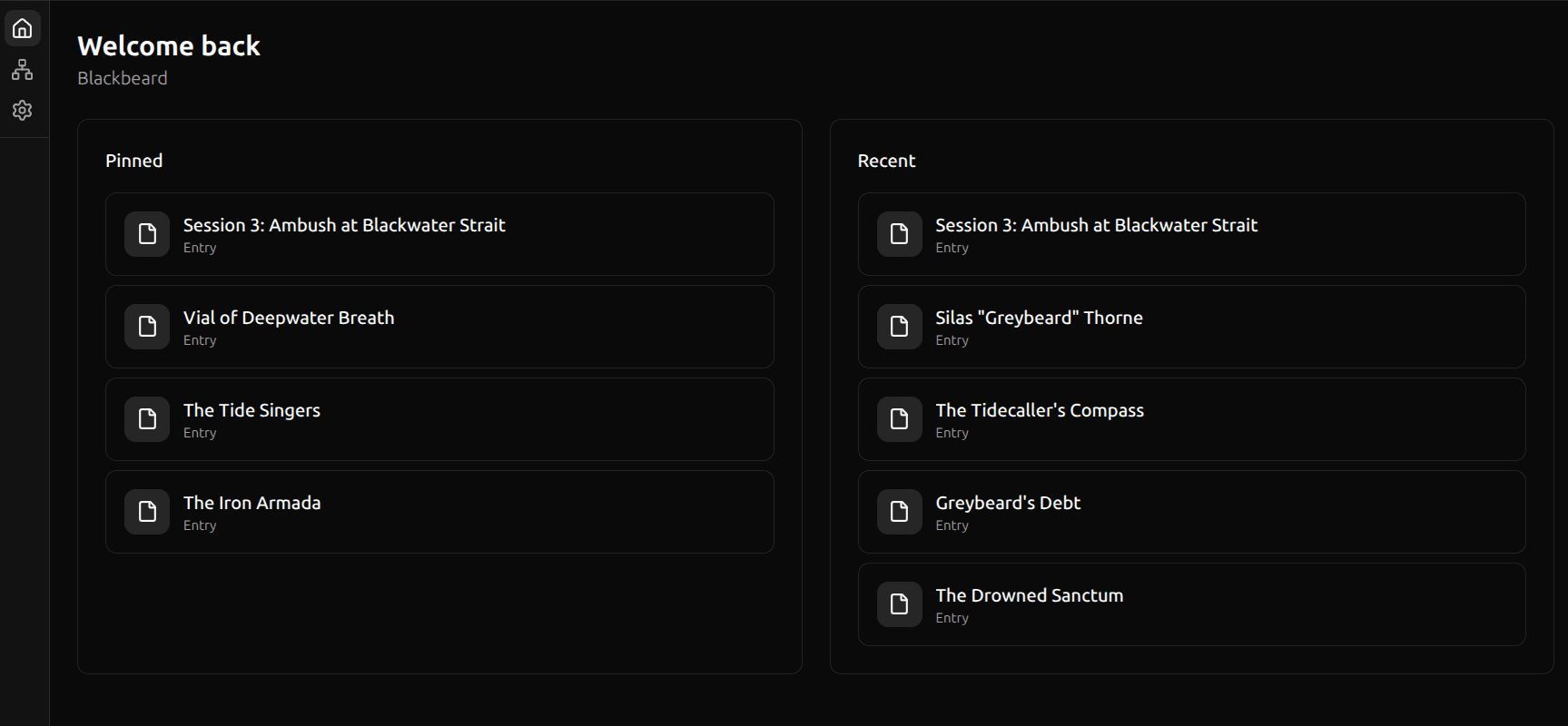
The dashboard is your home page in Swashbuckler. It shows two sections: Pinned entries for quick access to your most important content, and Recent entries so you can pick up where you left off.
Pinned Section
The Pinned section shows entries you've explicitly pinned for quick access. Pins are per-user — in a shared space, each collaborator has their own set of pinned entries.
Pinning an Entry
- Open an entry in the editor
- Click the pin icon in the entry header
The entry immediately appears in the Pinned section on your dashboard. You can also pin entries from the sidebar by hovering over an entry and clicking the pin icon.
Unpinning an Entry
Click the pin icon again (it appears filled when pinned) to remove the entry from the Pinned section.
Empty State
If you haven't pinned anything yet, the Pinned section shows a message with a hint: "No pinned entries yet. Pin entries for quick access."
Recent Section
The Recent section shows your most recently edited entries, ordered by last update time. It updates automatically as you work.
Empty State
If you're in a new space with no entries yet, the Recent section shows: "No entries yet."
Right-Click Actions
Right-click any entry in either section to open a context menu with quick actions:
- Pin / Unpin — toggle the entry in your Pinned section
- Archive — move the entry to the archive
- Move to trash — soft-delete the entry (recoverable from Trash)
Navigation
Click any entry in either section to open it in the editor. The dashboard is always accessible from the Home link in the sidebar.